AI assistant for party rental softwareYour team asks Jumpbook, not you.
What's going out tomorrow? Who has an event this weekend? Which stops aren't on a truck yet? Those questions come to you all day. With Ask Jumpbook, your team types the question and gets the answer from your own bookings.
Ask Jumpbook uses your own OpenAI account. You connect it once in Settings.
Your team asks
Instead of calling you.
Tomorrow you have 4 drop-offs and 2 pickups. One drop-off, the Smith birthday party, isn't on a truck yet.
Open bookingAsk the way you'd text it
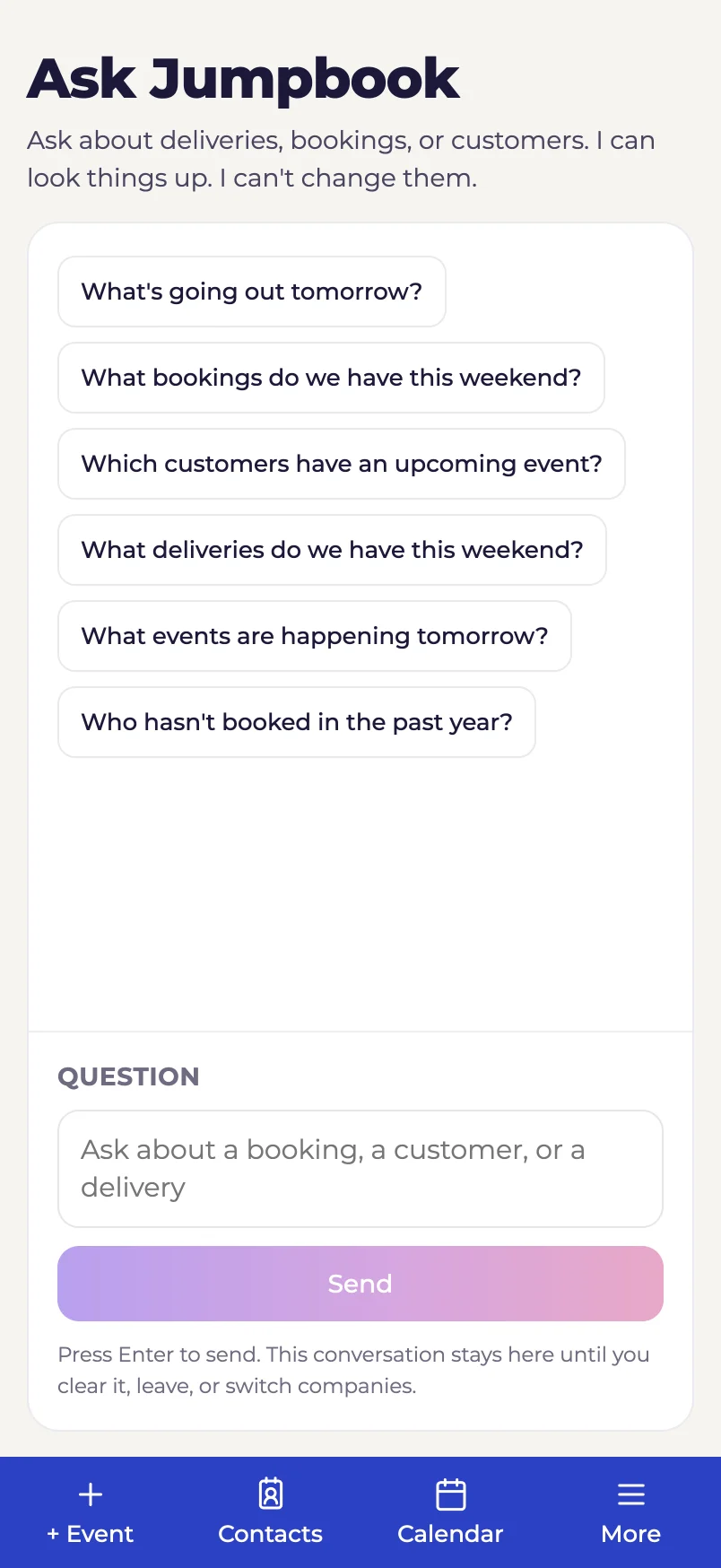
Type a question in plain words. Ask Jumpbook looks it up in your delivery schedule, bookings, quotes and customers, then answers from what it finds. Ask a follow-up, and it remembers what you were talking about.
- Deliveries and pickups. "What's going out tomorrow?" "Which stops aren't assigned to a truck?"
- Bookings and quotes. "What bookings do we have this weekend?" "What events are happening tomorrow?"
- Customers. "Which customers have an upcoming event?" "Who hasn't booked in the past year?"
On every screen, one tap away
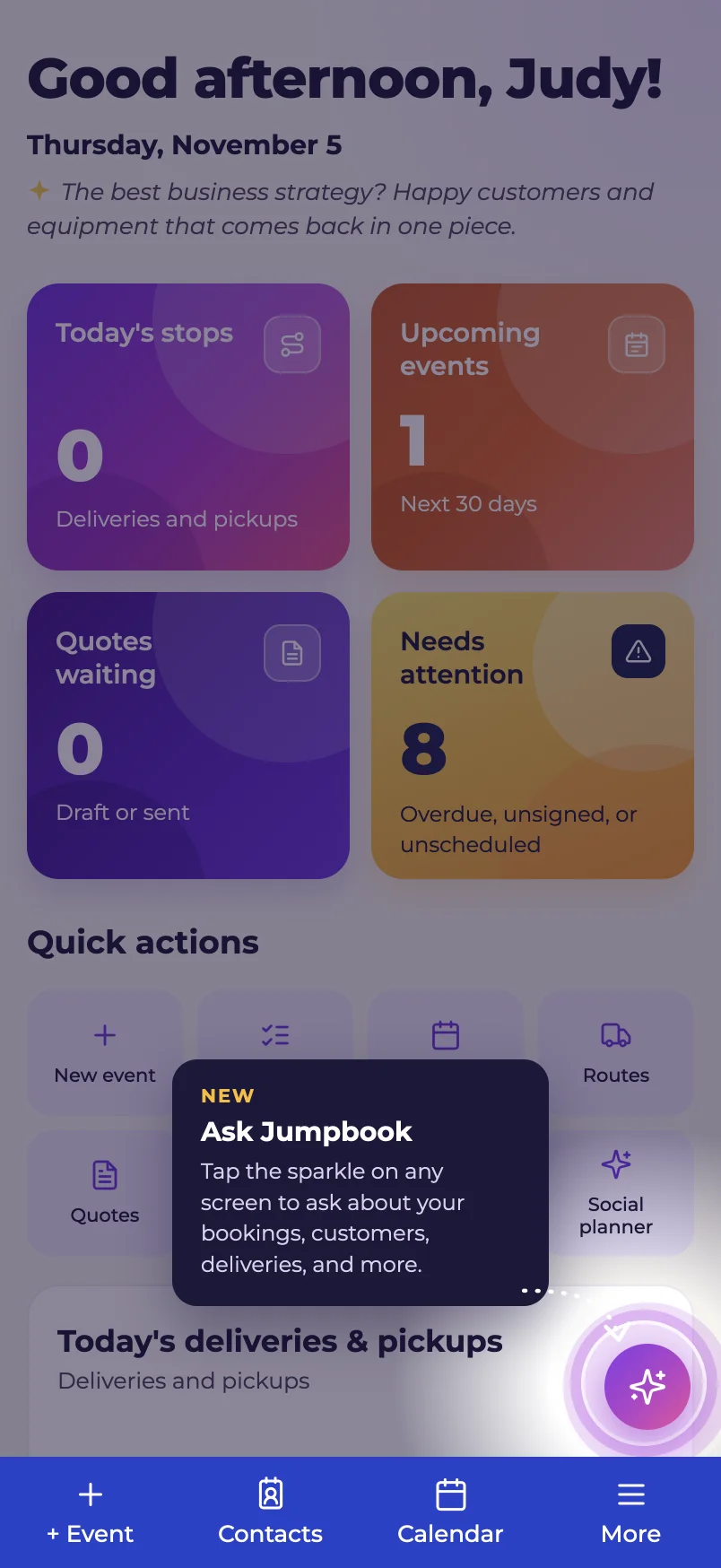
Tap the sparkle button in the corner, or open Ask Jumpbook under Overview in the menu. Answers link straight to the booking, quote or customer, so you can open the record and check it.
Today, it looks things up. It can't change them.
Ask Jumpbook can't cancel a booking, charge a card, send a message or move a stop. Ask it to, and it tells you it can only look things up. It answers only from the records it finds in Jumpbook. If it can't find one, it says so.
- Read only. Nothing in your account changes because someone asked a question
- Check the record. AI can still get things wrong. Every booking or customer it names links to the record
Coming next: ask it to do the work
Today, Ask Jumpbook looks things up. Next, you'll be able to ask it to make changes for you, in the same plain words.
- Create a booking. Coming next. "Book the 15x15 castle for the Smiths on Saturday."
- Add a new customer. Coming next. Add someone new without filling in the form yourself.
- Add to a booking. Coming next. "Add a generator to the Smith party."
Each person sees only what they're allowed to
Ask Jumpbook follows the same team permissions as the rest of Jumpbook. Someone who can't open customers in Jumpbook can't ask about them either.
- Drivers. Only their own stops and bookings. They can't look up customers.
- Office staff. The schedule, bookings and customers their role can already see
- Your company only. Answers come from the company you're signed in to, and nothing else
Your OpenAI account, your customers' privacy
Connect your own OpenAI key in Settings, under Integrations. OpenAI bills you directly for what you use. Phone numbers, email addresses, street addresses and dollar amounts are never sent to OpenAI.
- Switch it off anytime. Turn OpenAI off in Settings and Ask Jumpbook stops answering
- Questions aren't saved. The conversation clears when you leave the page or switch companies
Questions about ask jumpbook
Do I need an OpenAI account?
Yes. Ask Jumpbook uses your own OpenAI API key, with billing set up in your OpenAI account. You connect it once in Settings, under Integrations. The Marketing writer doesn't need one.
Who pays for the questions?
OpenAI bills your OpenAI account directly for what you use.
Can Ask Jumpbook change a booking?
Not yet. Today it can only look things up. It can't cancel, charge, message, assign or change anything.
Will it be able to create bookings?
That's coming next. You'll be able to ask it to create a booking, add a new customer or add items to a booking.
Can my drivers use it?
Yes. Drivers only get answers about their own stops and bookings, and they can't look up customers.
What can't it answer?
Money questions, like what a customer owes or what you charged, and questions about inventory or what's available on a date. Those details aren't part of the lookup.
What gets sent to OpenAI?
Only what's needed to answer: names, dates, items and booking status. Phone numbers, email addresses, street addresses and dollar amounts are never sent.
Is it always right?
It answers only from your records, but AI can still make mistakes. Each booking or customer it names links to the record, so you can check.